
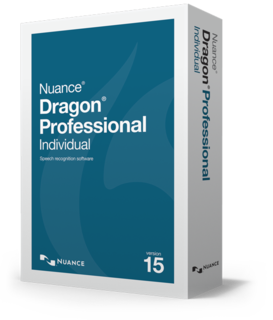
Dragon Professional Individual

$300.00
Professional-grade speech technology for everyone
Save time and money by using your voice to control your PC and power through paperwork
- Easy to get started, easy to master
- Enhanced accuracy using Deep Learning Technology
- Spend less time on documentation
- Optimized for touchscreen devices
- Syncs with the Dragon Anywhere mobile app
- Trusted by over a million people worldwide
- Reviews (0)
- Product overview
- What’s new
- More Products
Be the first to review “Dragon Professional Individual”
You must be logged in to post a review.
Put next-generation speech technology to work.
Nuance® Dragon® Professional Individual expands the boundaries of speech recognition technology for documentation productivity on the PC. With dictation and transcription capabilities that are faster and more accurate than ever before, you’ll spend less time on paperwork and more time on activities that boost the bottom line.
Dragon Professional Individual should be a mandatory purchase for everyone that wants to increase their productivity and start speaking their thoughts, not typing them. You can even take advantage of the 30 day money back guarantee.
Faster and more accurate than ever
Dragon Professional Individual, v15 expands the possibilities of speech recognition innovation with a next-generation speech engine, significantly increasing accuracy over previous versions. Dragon uniquely brings consistent, optimal accuracy to the PC, with Deep Learning technology and adaptation techniques that continuously adjust to your voice or environmental variations, even while you’re dictating. Dragon v15 provides:
- Up to 15% improved accuracy out of the box without training
- Continuous learning – even during dictation – for individually adapted accuracy improvements that enhance the user experience
- Optimal accuracy achieved for speakers with accents or in slightly noisy environments such as in a cubicle environment.
Formatting and other recognition improvements, for minimal editing
Dragon delivers improved recognition of number, email address formatting and place names based on how we naturally speak, resulting in fewer overall corrections. Examples include:
- “three double two five” -> “3225”
- “two point five million” -> “2.5 million”
- “oh point five” -> “0.5”
- “quarter to five” -> “4:45”
- “eight pounds fifty” -> “£8.50”
- “John dot Smith at Nuance dot com” -> john.smith@nuance.com
- Better overall handling of Roman numerals
Optimized for popular form factors such as touchscreens
Dragon is optimized for popular form factors such as portable touchscreen PCs so you can experience new levels of documentation productivity on the go. It’s great for today’s new PCs including mobile devices with hybrid touch and keyboard interaction modes. You’ll enjoy an:
- Improved touch experience on Windows 10 tablets or tablet mode
- Improved ability to open and interact with the DragonBar by touch
Improved set up
Dragon provides simplified microphone selection for faster, easier setup:
- No transcription setup option needed
- No smartphone option needed (since built-in microphone is already supported along with numerous other microphone options)
- Adding a new microphone source is faster than ever with no additional training requirement
Improved user interface and experience
Dragon delivers an improved user experience that makes powerful features easier to discover and use:
- Improved “Options” menu, with relevant options and settings consolidated into one easy-to-use dialog box. Menu selections include for example:
- Licence management (for Dragon Anywhere) Profile management
- Auto-formatting options
- Improved browser experience
- Detects when a web extension or plugin is not active and notifies the user with information on how to install it
- Faster start-up time with synchronisation of shared words and auto-texts from Dragon Anywhere performed in the background; there is no need to log in and out for synchronisation to occur.
Enhanced transcription
The enhanced transcription process leverages all the accuracy improvements gained from the state-of-the-art engine, while reducing the number of steps required to getting your audio recordings transcribed.
- Simplified user interface and better speaker management
- No training is required for transcription; you no longer need to initially transcribe and correct a short 90-second clip to achieve transcription accuracy
- Acoustic and language model adaptation are automatically leveraged for the current user
- No training is required for third-party transcription; there is also better separation of current user data versus third-party speaker* data
- If you will be frequently transcribing a particular third-party, the Help feature will guide you through creating a separate profile for that speaker
- Fast, post-recognition process automatically applies basic punctuation that is not dictated to give you a head start as you review or correct your transcription results
*Transcription of third-party speakers may require an additional license for each unique speaker.
Updated web and application support
Dragon empowers you to work even more quickly and accurately by voice with support for Enhanced Dictation within the latest business applications. Web and desktop applications with enhanced support include, for example:
- WordPerfect X8
- for Business
Improved help
Contextual guidance tailored to your usage helps you maximise the power of Dragon and complete documentation more efficiently than ever before. Dragon offers multiple ways to accelerate proficiency and get the most out of your speech recognition investment – even offering productivity tips and helping you discover advanced Dragon features. You can take advantage of:
- Helpful tips, triggered by first-time actions when the microphone is on, such as:
- Explaining Enhanced Dictation when user is working in a supported application
- Tip to say “scratch that” when user hits backspace
- Browser help when user first enters web applications such as any web page, Google Docs, Gmail, Web Word or Outlook.com
- Tips for working with the dictation box
- Tips for working in tablet mode
- Improved online Help:
- Enhanced Help that gives users easier access to top searches
- Changing content on main help page with highly used topics
- Short tutorial videos integrated in Help for areas of high interest
- New troubleshooting sections
- Expanded navigational text that gives users more information/context
- More task-based dialog box help




Reviews
There are no reviews yet.